


In 2024, WazirX was hacked, and over $230 million in user funds vanished overnight.
Crypto exchanges get targeted constantly, and your funds are even more exposed on smaller or less established platforms.
The smarter move is to stop storing assets on exchanges, or online at all, and shift to a hardware wallet.
What is a crypto hardware wallet?
A crypto hardware wallet, also called a cold wallet, is a physical device that keeps your private keys offline.
Your actual crypto never leaves the blockchain. What you’re really protecting is the secret cryptographic key that proves you own it. On an exchange or hot wallet, that key lives online, exposed to attacks. On a cold wallet, it lives on a physical device that never touches the internet.
That offline isolation is the whole point: cold wallets are immune to online hacks, malware, and phishing attacks.
In this article, we’ll compare Ledger, Keystone, and SafePal to help you find the best crypto hardware wallet for your budget, use case, and priorities.
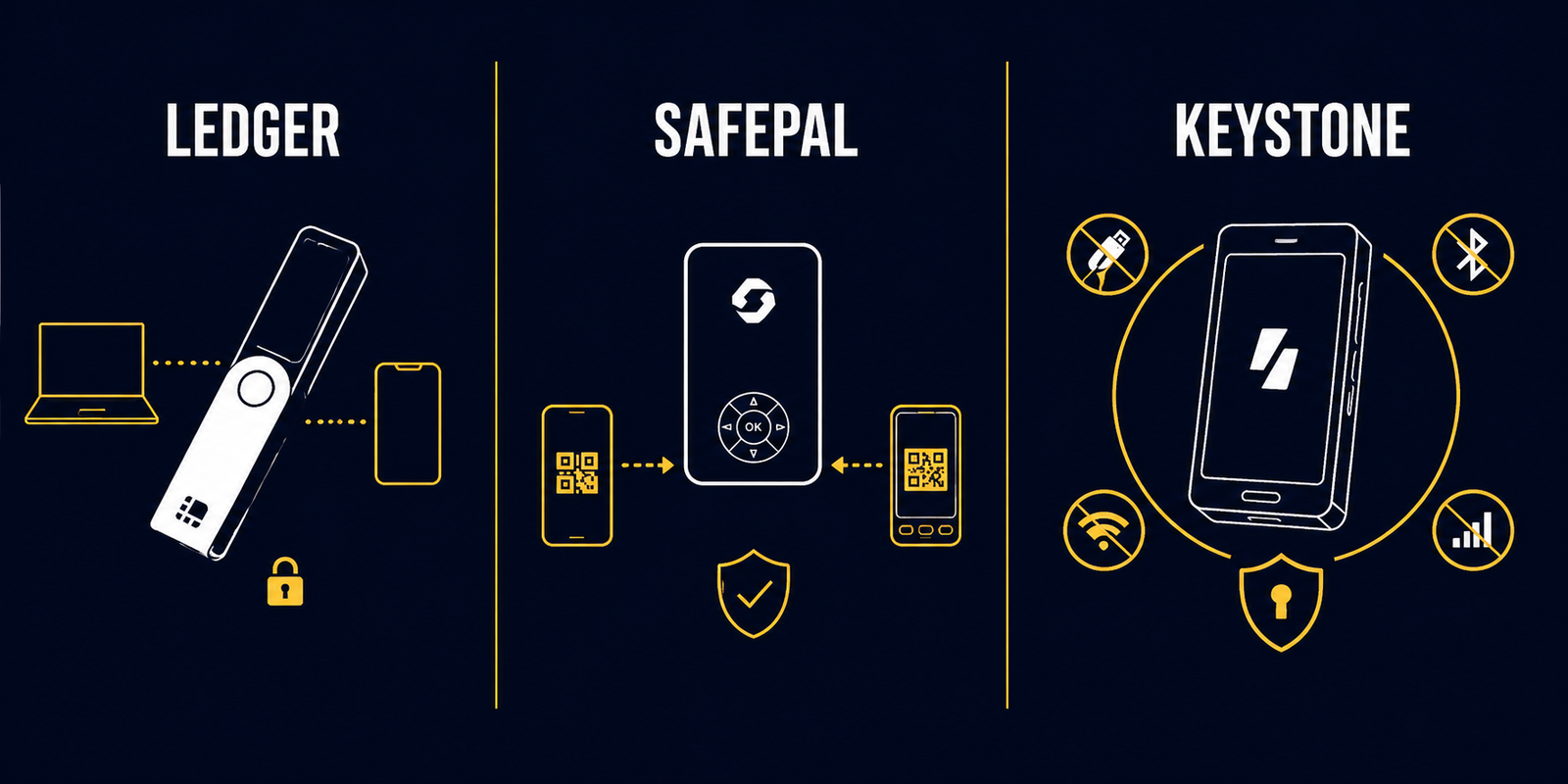
Ledger vs SafePal vs Keystone Overview
Ledger


Ledger is the premium option, and it shows – the build quality, display, and overall experience are a cut above.
The catch?
Closed-source firmware and software. You can’t verify the code yourself; you just have to trust what Ledger claims.
The Nano X and Nano S Plus aren’t impressive. Pick Ledger only if your budget is above ₹20,000 and you want the smoothest, most hands-off experience.
SafePal


SafePal gives you the most wallet for the least money with a broad app and asset support, starting at around ₹4,500.
It’s open source, so the security is verifiable, not just claimed. The mobile app feels clean, close to Ledger’s experience.
But the desktop is a different story.
You need a browser extension layered on top of the mobile app, which has to be running alongside any third-party site you use. It works, but it feels like a workaround.
Keystone


Keystone is for people who put security above everything else.
Air-gapped signing and three separate secure chips mean a compromised connection or a single cracked chip can’t expose your assets.
It’s fully open source; you can verify every line of code yourself.
The tradeoff is access. The asset and app selection is limited, and even basic actions like buying or selling happen outside the Nexus companion app.
This isn’t a curated experience, and it’s not trying to be.
Features comparison at a glance
| Features | Ledger | SafePal | Keystone |
| Touchscreen Display | ✓ | ✕ | ✓ |
| QR code sign-in | ✕ | ✓ | ✓ |
| Bluetooth | ✓ | ✓ | ✕ |
| NFC | ✓ | ✕ | ✕ |
| Cable Connection | ✓ | ✕ | ✕ |
| Biometric Unlock/Signing | ✕ | ✕ | ✓ |
| Companion App | ✓ | ✓ | ✓ |
| In-App Buy/Sell | ✓ | ✓ | ✕ |
| In-App Swap | ✓ | ✓ | ✓ |
| In-App Staking | ✓ | ✓ | ✕ |
| Hardware Anti-Tamper Self-Destruct | ✕ | ✓ | ✓ |
Products and Pricing
Ledger


Ledger Nano S Plus: ₹6,199
- Screen Size: 1.1
- Connectivity: USB-A to USB-C
- Navigation: 2-Buttons
- Battery: 100 mAh
Ledger Nano X: ₹ 11,299
- Screen Size: 1.1
- Connectivity: USB-A to USB-C, Bluetooth
- Navigation: 2-Buttons
- Battery: 100 mAh
Ledger Nano Gen5: ₹20,399
- Screen Size: 2.8
- Connectivity: USB-C, Bluetooth, NFC
- Navigation: Touch screen
- Battery: 200 mAh
Ledger Flex: ₹28,399
- Screen Size: 2.8
- Connectivity: USB-C, Bluetooth, NFC
- Navigation: Touch screen
- Battery: 200 mAh
Ledger Stax: ₹45,499
- Screen Size: 3.7
- Connectivity: USB-C, Bluetooth, NFC
- Navigation: Touch screen
- Battery: 200 mAh
SafePal


SafePal S1: ~₹4,600
- Screen Size: 1.3
- Connectivity: AirGapped
- Navigation: D-Pad
- Battery: 400 mAh
SafePal X1: ~₹6,500
- Screen Size: 1.8’
- Connectivity: Bluetooth
- Navigation: D-Pad + Telephone-style Keypad
- Battery: 400 mAh
SafePal S1 Pro: ~₹8,300
- Screen Size: 1.3
- Connectivity: AirGapped
- Navigation: D-Pad
- Battery: 500 mAh
Keystone


Keystone 3 Pro: ₹13,700
- Screen Size: 4
- Connectivity: QR Code (Air Gapped)
- Navigation: Touch screen
- Battery: 1000 mAh
3 Pro co-branded: ₹18,300
Same specs as 3 Pro. These are limited-edition collaborations with major Web3 projects like MetaMask or Zcash, featuring unique partner artwork on the device casing.
3 Pro Customisation: ₹22,900
Same Specs as 3 Pro. The Customisation (or NFT Customisation) version allows users to upload their own digital artwork or NFTs to be laser-engraved directly onto the wallet’s exterior.
Ledger vs SafePal vs Keystone: Side-by-Side Comparison
1. Security
Keystone wins on security, and it’s not close.
It’s air-gapped, meaning transactions are signed offline and sent out via QR code scan. There’s no persistent Bluetooth, NFC, or USB connection to exploit.
It also runs on three separate secure chips: one for your seed phrase, one for hardware connectivity, and one for biometrics.
A hacker would need to crack all three to reach your assets.
Wrong PIN five times, or any physical tampering, and the device wipes itself. Your seed phrase still recovers everything on any other wallet.
It’s fully open source, so you can verify the code yourself.
SafePal is close behind. The S1 and S1 Pro are also air-gapped, open source, and have the same self-destruct feature.
Ledger is neither air-gapped nor open source.
Where Ledger does pull ahead: seed phrase recovery. Lose your seed phrase on a Keystone or SafePal, and your assets are gone.
With Ledger Recover ($9.99/month), you can recover access with just your device PIN, even if the device is lost and the seed phrase is forgotten.
2. Usability
The Ledger Nano X and Nano S Plus are tedious to use. Two buttons mean juggling combinations and multiple clicks for every action, on a 1.1-inch screen, connected via cable.
The SafePal S1 and S1 Pro are a step up. D-pad navigation and QR code signing are easier than button combos. The X1 adds a telephone-style keypad, which helps further.
The Ledger Nano Gen 5, Flex, Stax, and Keystone 3 Pro are a different class. Large touchscreens, no button gymnastics, clean and straightforward.
If you use your wallet a few times a year, any of them will do.
If you’re in it regularly, the gap between a two-button Nano and a touchscreen device is real enough to affect how often you actually reach for it.
3. Companion App
Ledger offers the best companion app experience of the three.
Desktop, mobile, all operating systems, everything runs through one app, no jumping between tools. DApp access is curated, not open-ended.
SafePal’s mobile app is close to Ledger’s.
On desktop, you get a Chrome or Edge extension that layers on top of the mobile app, which still needs to be running and connected.
It works, but it feels like a workaround. The tradeoff for that friction: fewer restrictions on which apps you can connect to.
Keystone’s Nexus is the most stripped-back. Send, receive, swap, that’s it. Buying, selling, staking, and DApp access all happen through third-party apps like MetaMask or Rabby.
4. Asset Availability
If a token exists on a supported blockchain, you can store it.
But it won’t always show up in the companion app’s portfolio view, when that happens, you manage it through a third-party wallet instead.
SafePal covers the widest range. Ledger is the most restrictive.
SafePal supports 200+ blockchains with unlimited tokens and NFTs. Tokens not natively supported require a manual import by pasting the contract address, something neither Ledger nor Keystone offers.
Ledger supports 20,000+ tokens across 50+ third-party wallet integrations. Keystone covers 5,500+ tokens across 200+ blockchains and connects with 45+ software wallets.
All three handle popular assets fine. If you hold anything niche, check each brand’s supported assets list before deciding.
Verdict
Want the fewest restrictions on apps and assets, or the best value for money? Go with SafePal.
Prioritising security above everything else? Keystone 3 Pro is the pick.
Want a premium, hassle-free experience? Start with the Ledger Nano Gen 5.
With Ledger Flex or Stax, you get a better screen and better aesthetics. The Stax also adds wireless fast charging.
Features are otherwise identical across all three, so whether the 1.5x to 2.5x price jump is worth it is your call.
If you’re also considering software options, here’s our full guide to the best crypto wallets.